Create a plan
A plan decides what a day costs and what it includes. Every amount you enter is a gross price.
The first plan is one of the four start tasks. After that you create as many as you have offers. Every plan describes a pricing model, what it includes and whether members may pick it themselves.
Decide beforehand whether the plan charges per day used, has a base price with included days, or is a flat monthly price. The pricing model decides which fields appear next.
- Open the plan list.
In the app
Setup, section Prices and hours, row Plans. The screen is called Subscription Plans.On the web
The Plans entry in the sidebar under Management. - Start a new plan.
In the app
Tap New Plan. The app first offers you Choose a Template: Day Pass, Flex, Full Month or Custom. A template only prefills the form.On the web
Click Add Plan. The form opens empty.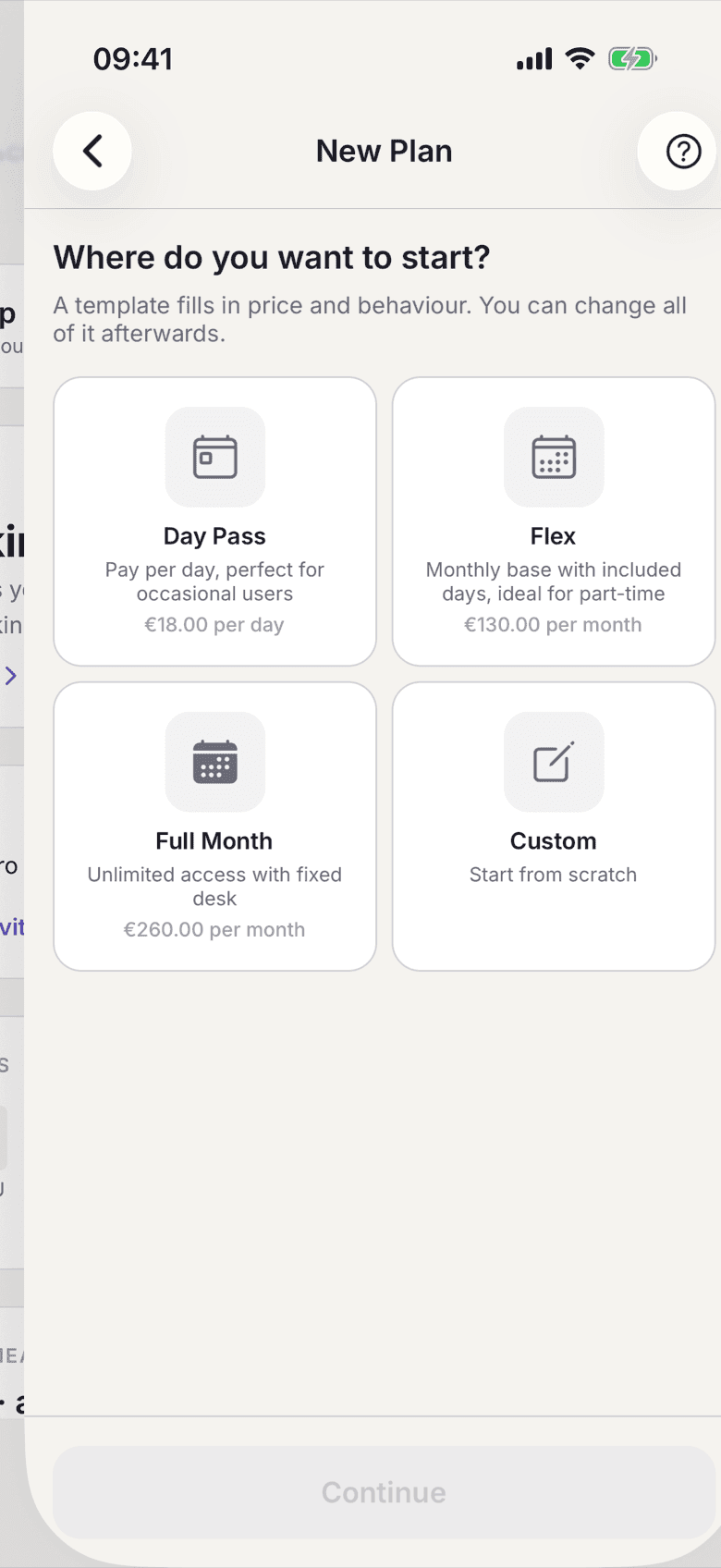
Template picker when creating a plan - Enter a Display Name and an Internal Name. Members read the display name in the app, on the contract and on the invoice. The internal name is for you only.
- Pick the Pricing Model: per day, a base price with included days, or a fixed monthly price.
- Enter the amounts. Every price field is a gross price, which is what a member pays.
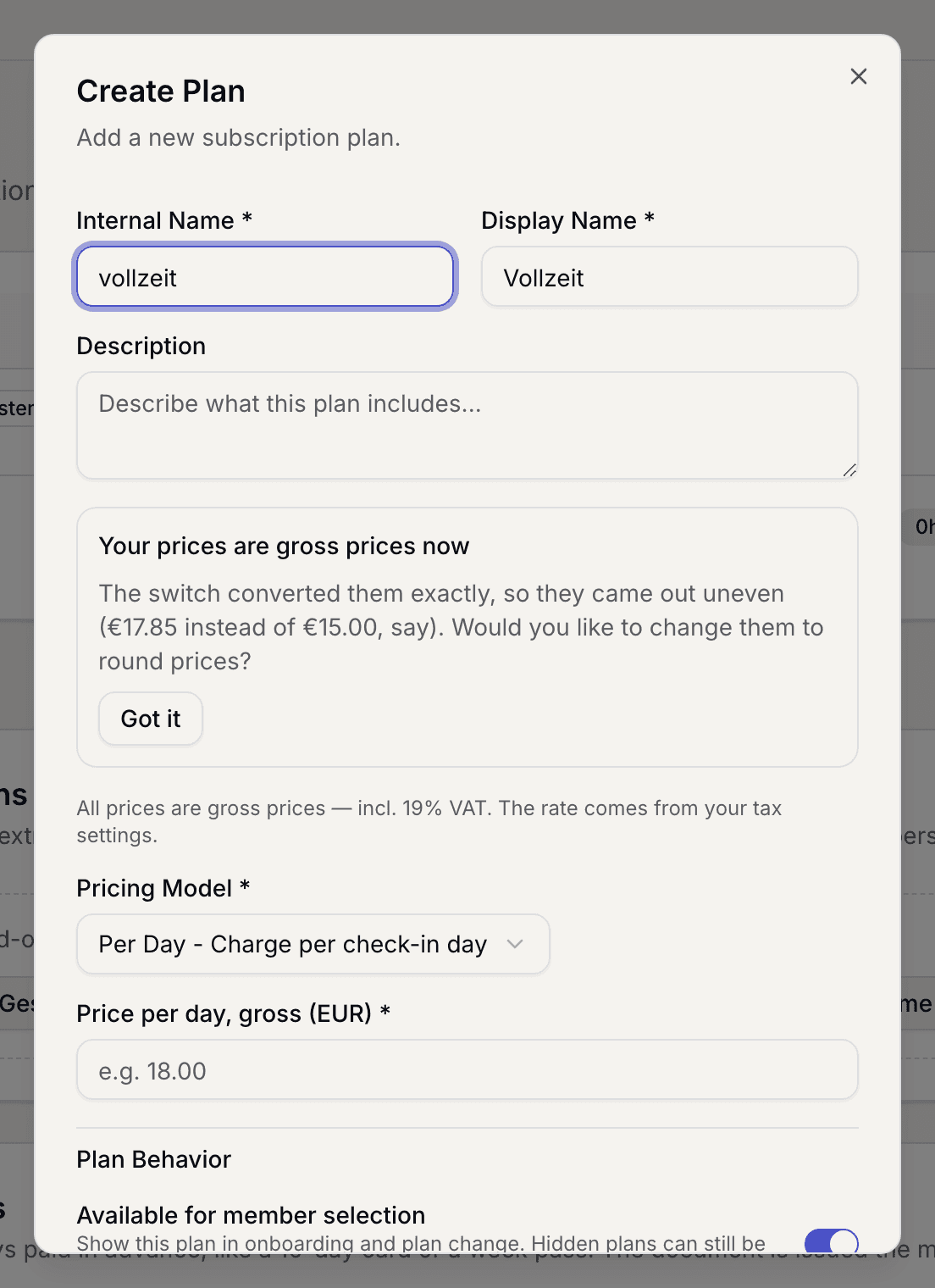
Form with the pricing model and the price fields - Set Behavior: whether members have to check in every day and whether the plan includes a fixed desk.
- Set Room Booking: how many hours are included and what an extra hour costs.
- Decide whether members may pick the plan themselves. In the app the switch is called Publicly visible, on the web Available for member selection. With it off, the plan appears neither in the plan picker nor in the price list, and you assign it by hand.
- Save.
What applies here
- The amounts a template fills in are suggestions. They are linked to nothing and are never used as a fallback anywhere.
- An empty price field counts as 0 €. There is no silent fallback to a default amount. Whoever wants to charge something enters it.
- A plan has no VAT rate of its own. The rate belongs to your space. See Prices are gross.
- When you change a plan, your price list is flagged out of date and wants regenerating. See A task is open again.
- A plan with a fixed desk cannot go into a company pool. See Create company customers.
When it does not work