Change a price
A wrong price can be corrected, retroactively too. What has been billed stays, everything still open from the chosen month on is recalculated.
You change a price directly on the plan or the room, even when members hold it. After Next, two steps ask from which billing month the new price applies and to whom. For a correction you pick the current or a past month. For a change from a future month see Plan a price change.
Name, description, visibility and order change without the two steps. They do not change a price. The pricing model and the room pricing model are set when the plan is created.
- Open the plan.
You open a room under Rooms. The header shows since when today's price applies and under which version of the price list.
In the app
Setup, section Prices and hours, row Plans, then tap the plan.On the web
The Plans entry under Management, then click the plan's row. The plan opens as a page of its own with the tabs Terms and History. - Enter the new values. Each changed field shows its previous value next to it.
- Choose Next.
- Under From which billing month does the price apply? choose the month. Each month shows what has been billed there and what is still open. Below it you see what stays and what is charged at the new price.
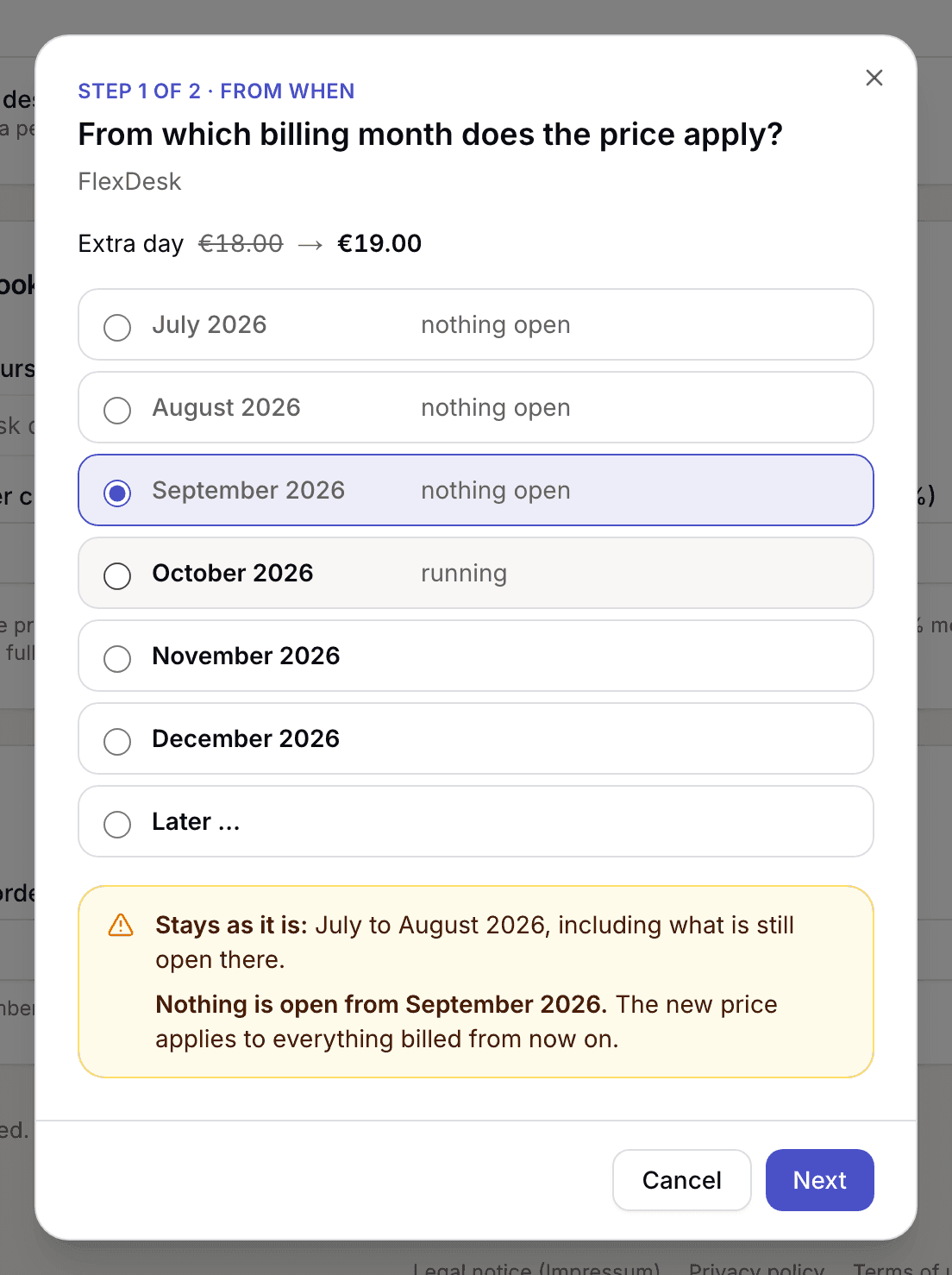
Step 1 with the list of months and the box saying what stays and what is recalculated - Choose Next. Under Who does the new price apply to?, All members is preselected for a current or past month. Tick Inform by email if those affected should get an email.
- Under Reason, enter why the price changes. The reason appears in the history.
- Confirm with Change from ….
Extras, add-ons and credit have a single step: Change price says that the price applies right away, offers the email and asks for the reason. Extras already ordered and credit already bought keep their price. An add-on applies at the new price to everything not yet billed.
What applies here
- What is charged is the price of the billing month, not the price on the day of the invoice. Billing November on 2 December uses the November price.
- What has been billed stays. Issued invoices do not change. See Issued invoices are frozen.
- You can go back as far as the month from which today's value of the changed field applies.
- A price always starts on the first of a month.
- Nothing is overwritten. Every change is a new entry and appears under the History tab or View history, with version, person and reason.
- Every price change on a plan in the price list or on a room gives a new version of the price list. Invoices name the version they were calculated by.
- Guests pay a room's price of the booking month. Members pay it less their plan's discount.
- An individual price is untouched by a change to the plan. See Set an individual price.
When it does not work