Public room booking for guests
Strangers without an account book a meeting room and pay by card right away. You release each room and decide which doors the booking opens.
A person without an account picks a room, confirms their email address and pays by card right away. Afterwards they manage the booking through a link from the confirmation mail. You release nothing and confirm nothing: the purchase is binding immediately, your veto is the release per room and, in an individual case, cancelling and refunding.
Before you start, six things have to be in place, otherwise your space sells nothing: a connected Stripe account that is allowed to charge; a no-contract plan with an hourly room rate above zero; a maintained weekly schedule of opening hours; terms and a right-of-withdrawal notice; a complete imprint with company name, registered office and contact address; and at least one released room.
In the app
- Open the room in room management and go to the section Publicly bookable.
- Turn on Offer for sale.
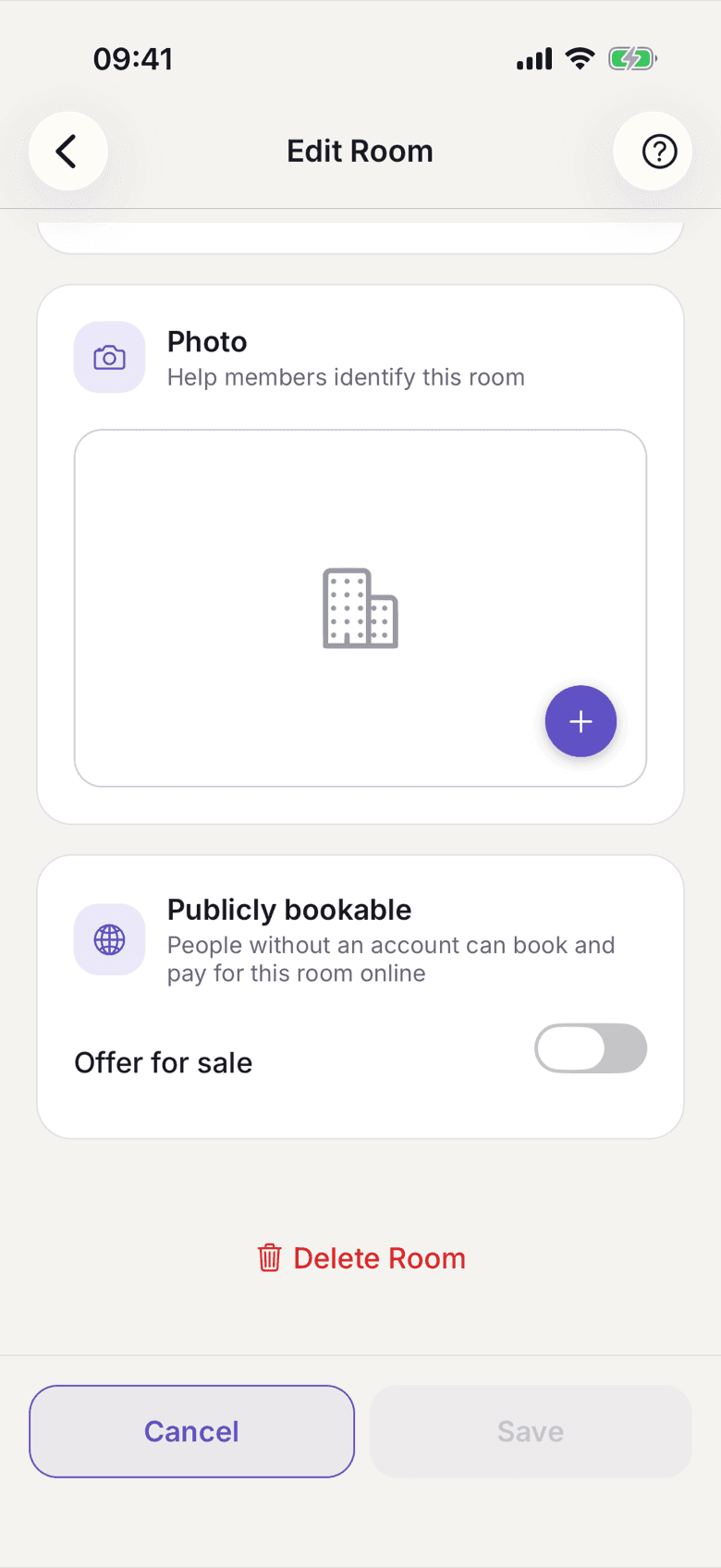
Edit Room with the Publicly bookable section - Under Doors, choose which doors a paid booking should open. If you pick none, guests see Guests see: access on request and you let them in yourself.
- Repeat this for every room you want to sell.
The embed code for your website exists only on the web.
On the web
- Open Rooms and the room you want to sell.
- Turn on Publicly bookable.
- Under Doors, choose which doors a paid booking should open. Without a selection guests see Guests see: access on request.
- Back on the room list you find Embed the booking widget at the bottom.
Copy the Code to paste into your website.
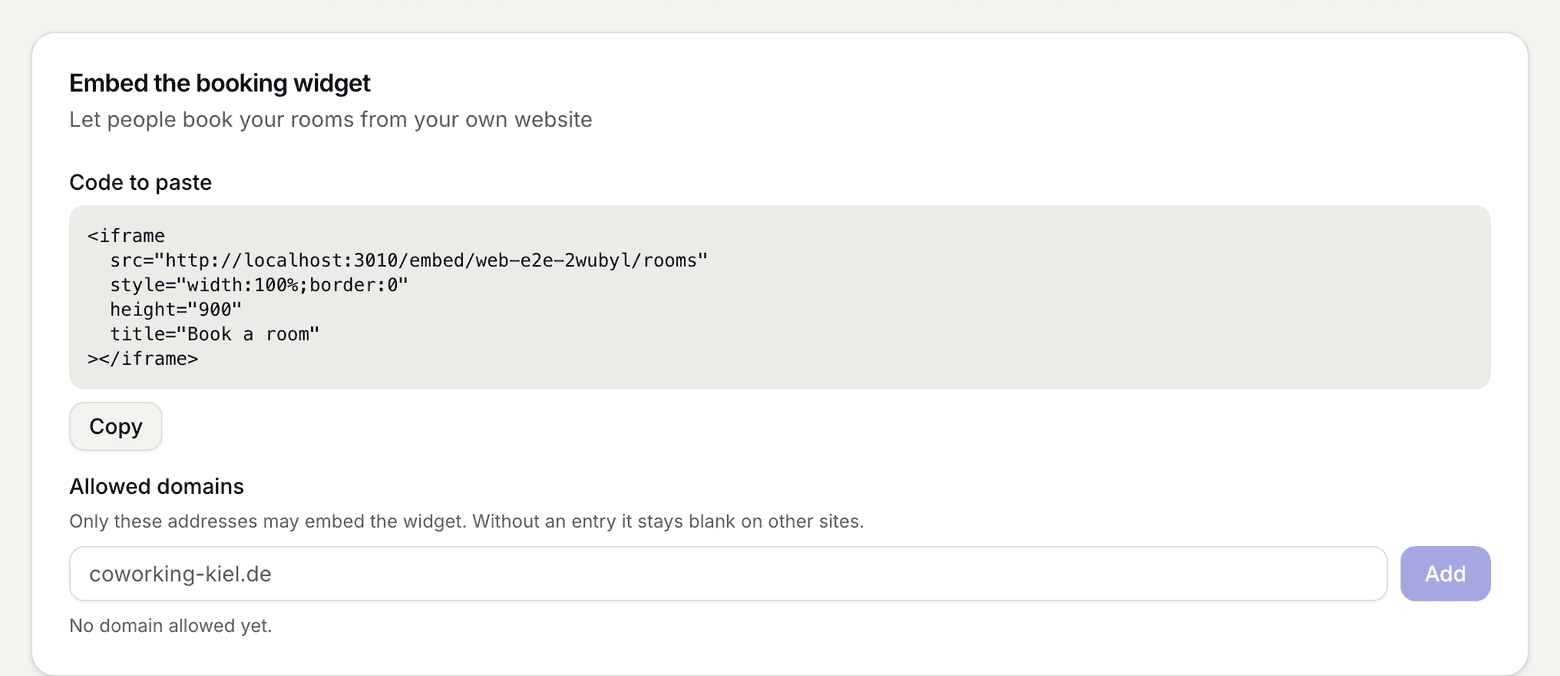
Embed the booking widget card with the code and the allowed domains - Enter the addresses the widget may run on under Allowed domains and confirm with Add. Without an entry the widget stays blank on other sites.
What applies here
- The price comes from your no-contract plan, stated gross. If no room price is set there, nothing is sold. There is no preset price. See Gross price.
- Opening hours always bind guests, even when you do not enforce them for members. A closed day blocks the sale with them.
- Guests have the same booking window as members. See Booking window.
- The slot is blocked from the start of the purchase. An unpaid hold expires by itself. Only paid orders appear in the lists you read.
- Access hangs on the booking, not on an account. The window runs from 15 minutes before the start to 15 minutes after the end, can be used several times, is logged, and can be withdrawn again on the booking. See Add doors and set access.
- The guest gets a receipt, not an invoice. It runs in its own number range. From €250 gross the address becomes mandatory. See Receipt and invoice.
- Guests get no profile. They appear in the day plan and the booking history as a guest; in the booking history and the CSV only once you show guest rows.
- One email tells you about every sale. Nothing waits for an action, but a stranger will be in the house.
- The list of earlier guest bookings for the member themselves does not exist yet, even though a later sign-up with the same verified address attaches the orders.
When it does not work