Add doors and set access
A door is its own entry with a Nuki lock attached. Who may open it is decided per member, not per role.
A door in selfdesk is an entry with a name and, if it should open from the app, a Nuki lock attached to it. Whether a member may open it depends neither on their role nor on their plan. You grant access per member and per door.
Before you start: without a connected Nuki account you can create a door but cannot pick a lock. See Connect Nuki.
- Open Setup and tap Doors in the Desks, rooms and doors section.
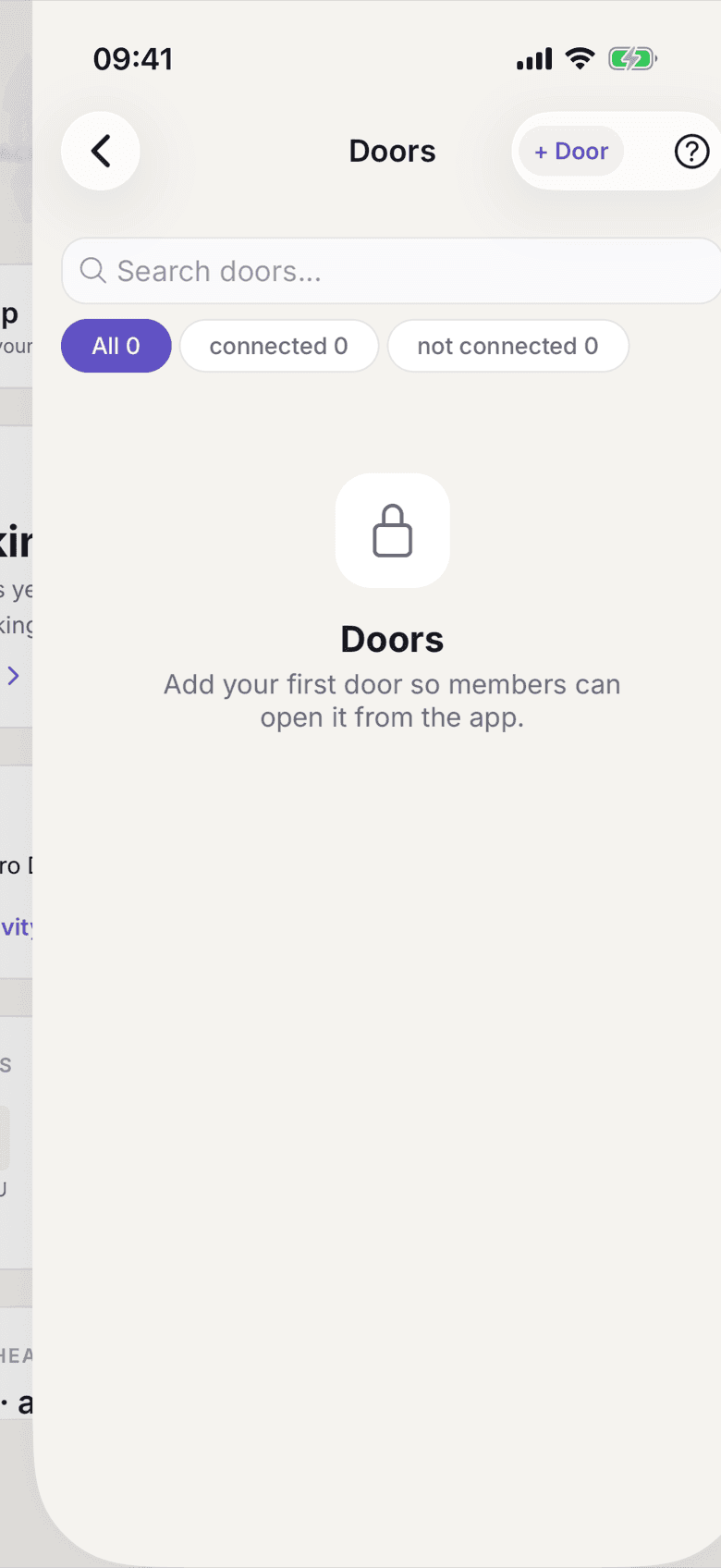
Door list with the add button - Use + Door to add a door and give it a Door Name that someone standing in front of it would recognise.
- Under Smart Lock, pick one of the locks from the connected Nuki account.
Without a lock the door stays an entry the app cannot open.
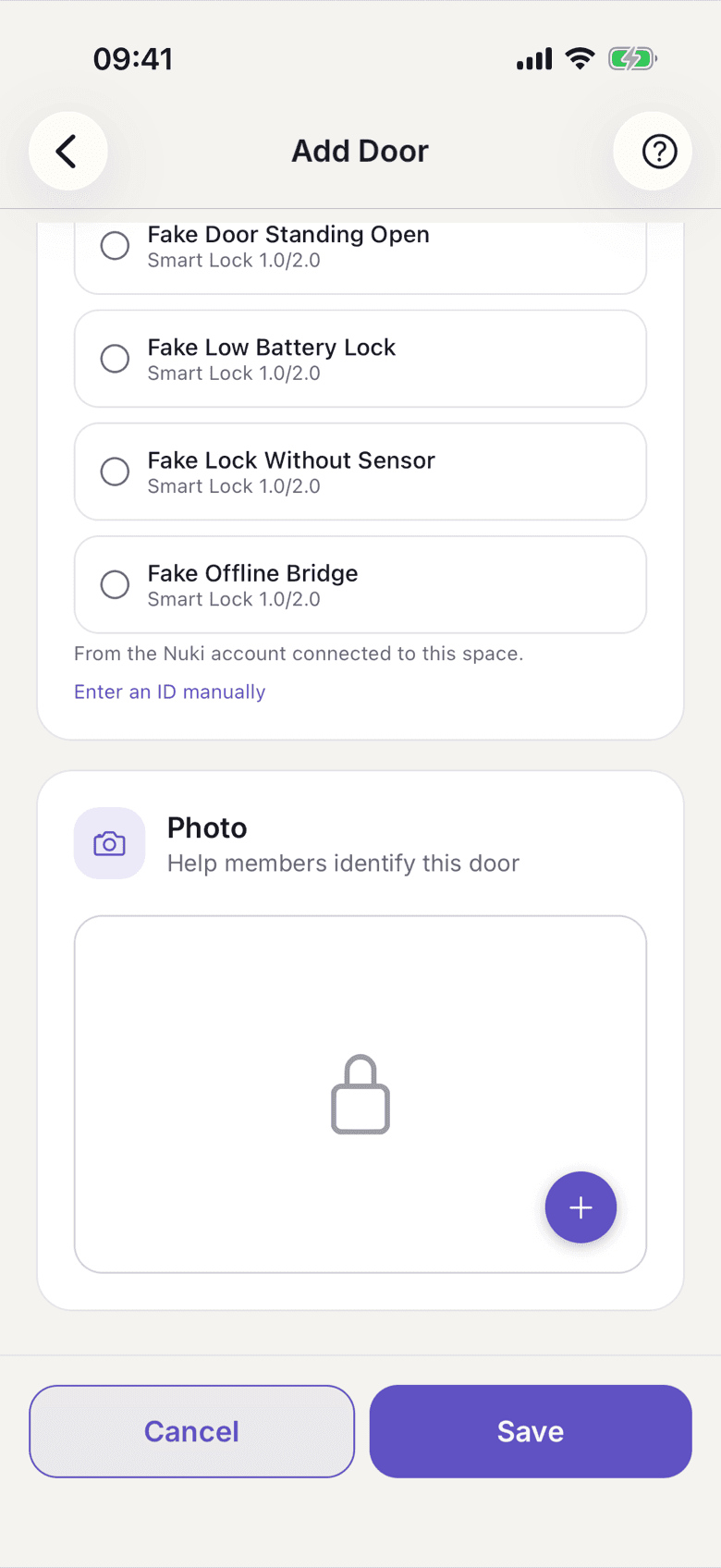
Door form with Choose a smart lock - Save, then check the door with Test Unlock.
- Open the member list and the person who should get access.
- Open Door Access and switch on the doors this member may open.
Grant All and Revoke All set them all at once.
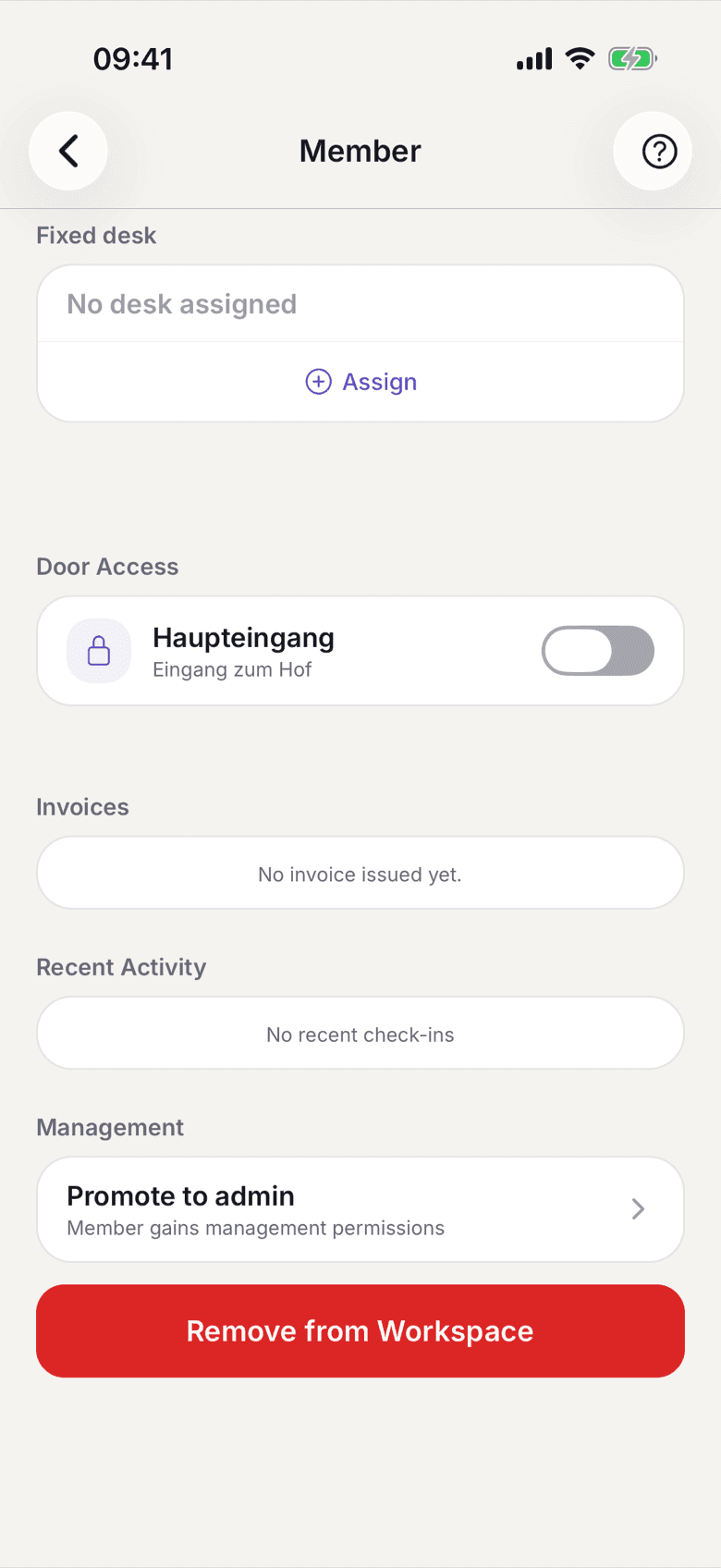
Door Access in the member record with one switch per door
What applies here
- Access is per member and per door. There is no grant for a whole role and none for a whole plan.
- A change takes effect at once. The member sees the door the next time they open their door list.
- Revoke every door and the Open door entry point disappears for that member entirely.
- A door without a lock shows as Not connected in the list. That is a door someone opens with a key.
- Every unlock and every lock is logged, failures included. See Door log.
- Remove a member from the space and their door log rows are deleted.
When it does not work