Set the tax mode
Standard taxation or the small-business rule. The rate belongs to your space and applies to desk, room and the base fee.
The tax mode decides how your prices are split. The prices themselves live on the plans and on the kiosk products and are gross prices, which is what members pay.
Whether you fall under the small-business rule is your decision, or your tax adviser's. selfdesk only applies what you set and gives no tax advice.
- Open Setup and, in the Prices and hours section, the row VAT. The screen is called Tax.
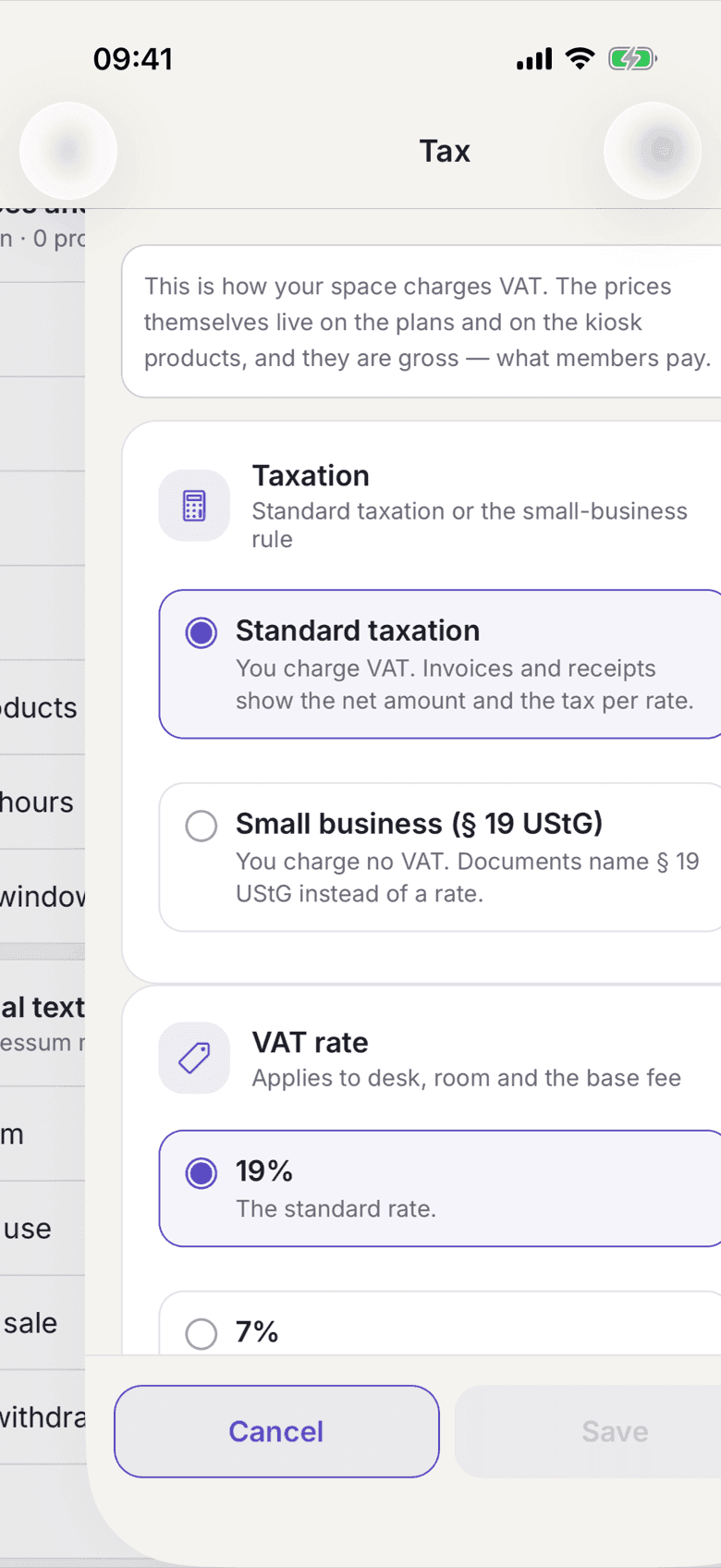
The Tax screen with the Taxation and VAT rate sections - Under Taxation pick either Standard taxation or Small business (§ 19 UStG).
- With Standard taxation you pick the VAT rate below it. It applies to desk, room and the base fee.
- With Small business (§ 19 UStG) there is no rate to pick. Your documents name § 19 UStG instead.
- Save.
What applies here
- Switching does not change any final price. Prices are stored gross. Only the split changes, and only for what is computed from now on.
- Invoices and receipts already issued stay as they are. They carry their own basis and keep rendering in the old mode. See Issued invoices are frozen.
- Open kiosk purchases keep the rate they were bought at. Kiosk products carry their own rate anyway.
- If you invoice through Lexware, the same setting has to be in place there, or the invoice push refuses.
- After a change selfdesk regenerates your price list.
- There is no net or gross toggle per user. See Prices are gross.
When it does not work