Day tickets for guests
A person without an account buys one or more days at a free seat and pays by card. You decide in which areas, how many per day and which doors the ticket opens.
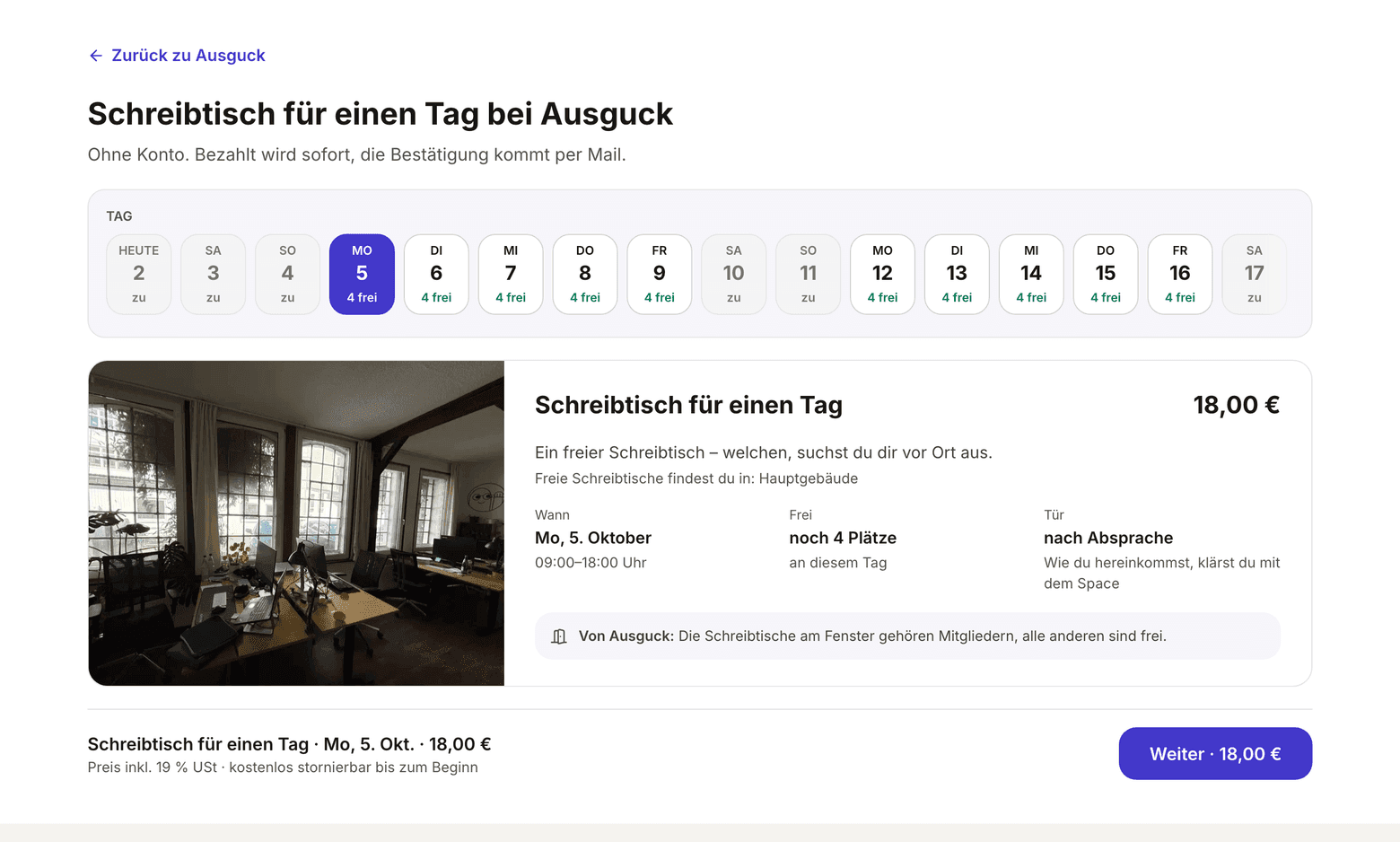
A day guest picks one or more days on your space page or in the embedded form, enters name and email (the address only if they want an invoice to a company), confirms the email address with a code and pays by card. They do not pick a desk: on site they take a free seat in one of the released areas. The confirmation arrives by email with a link. Through it they view and cancel the ticket, and if you release doors, they open the door with it on the day.
If you want to sell online only until the day before, or accept every booking yourself, you set that in the same section. See Set a deadline and confirmation for day tickets.
Tickets are only sold when everything is in place: a connected Stripe account that may accept payments; a day price in your plan without a contract; saved guest hours; terms and cancellation policy; a complete legal notice (Impressum); and at least one area with day tickets. Whatever is missing is listed at the top of the page Online booking for guests, each point with a link to where you fix it.
- On the web, open Setup and in it Online booking for guests.
- Under Prices without a contract, enter the gross price at Day ticket and click Save prices. If no guest hours are saved yet, use the suggestion below.
- In the Day tickets section, under In which areas, switch on the areas whose seats guests may buy. Desks with a fixed assignment never count.
- Enter a number under At most day guests per day if you want to keep room for members. Empty means all free seats of the areas.
- Under Which doors open, choose the doors a paid ticket opens. Without a choice, guests read Access by arrangement and you let them in yourself.
- Only switch on Guests choose the area if guests should decide on an area when buying, such as a quiet room.
- Under Note for day guests, write what a guest needs to know on site, such as which desks belong to members. The sentence appears in the email and on their ticket page.
- Click Save.
What applies here
- The price is the day price of your plan without contract, gross. The field under Prices without a contract writes to this plan, where the price also applies to members without a contract. See Gross price.
- Without area choice, the guest only buys the day. Free is then the sum of the free seats of all released areas. Their ticket page names the areas where they find a desk, and the day plan lists them in the group Day guests.
- With area choice, the guest picks an area when more than one has room that day. Ticket page, email, receipt and day plan name that area.
- Free means: desks of the area without a fixed assignment, minus all bookings of the day: members' bookings and other guests' open purchases and open requests. Someone who is paying holds their seat for up to 30 minutes.
- A member does not get a seat a guest has bought. In an area with day tickets, a member's booking checks the same free seats.
- The ticket is valid for the guest hours of each booked day, not the members' opening hours. The door opens from 15 minutes before the start until 15 minutes after the end, as often as the guest likes. Every opening is in the door log.
- The guest can cancel each day on its own, free of charge until the guest hours of that day begin, with that day's amount back. Not afterwards. Stripe does not return the fee of the purchase on a refund; it stays with you.
- The guest gets a receipt, not an invoice, in the same number range as bought rooms. You open it at the guest in the day plan and find it under Billing › Invoices and receipts and in the monthly export. See Receipt and invoice.
- You see day guests only once they have paid: in the day plan with their name and the label Day guest, in the list of bookings and in the CSV. If you confirm yourself, an open request appears under Needs you and as a Request in the day plan.
- One purchase is for up to ten people and up to six days, not necessarily in a row. Each person holds their own seat on each day, and each seat costs the day price of its month. There is no discount for several days or people. If a day does not have enough free seats for everyone, the purchase cannot be completed. Names of the others are optional and show in the day plan; without one the line names whose companion the person is. Cancellation works per person and day. Each person is a guest day of their own.
- On the booked day, the guest can hold a free desk. See Day guests hold their desk on site.