Create extras for room bookings
Drinks, food or equipment with a room. Every extra has a gross price, a pricing mode, its own tax rate and a lead time.
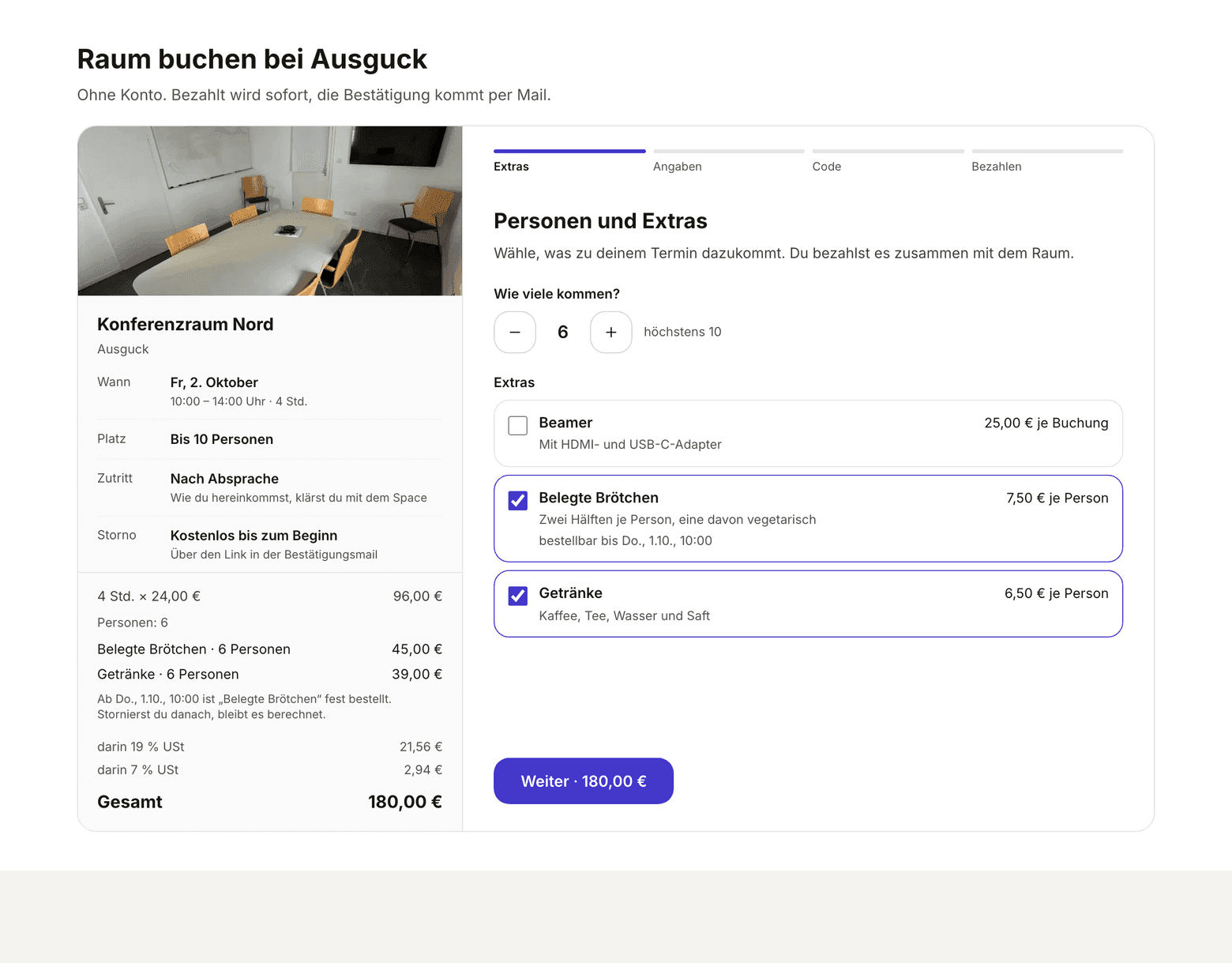
An extra is whatever someone orders along with a room: coffee and water for the group, bread rolls, a projector, a facilitation kit. Guests pick extras while booking, in the step Personen und Extras (the guest booking form is in German), and pay for room and extras in one payment. Members add extras to their booking after booking. If your space has no extras, the step does not appear.
-
Under Setup, open Room booking extras. The same way in is at the top of the Rooms page.
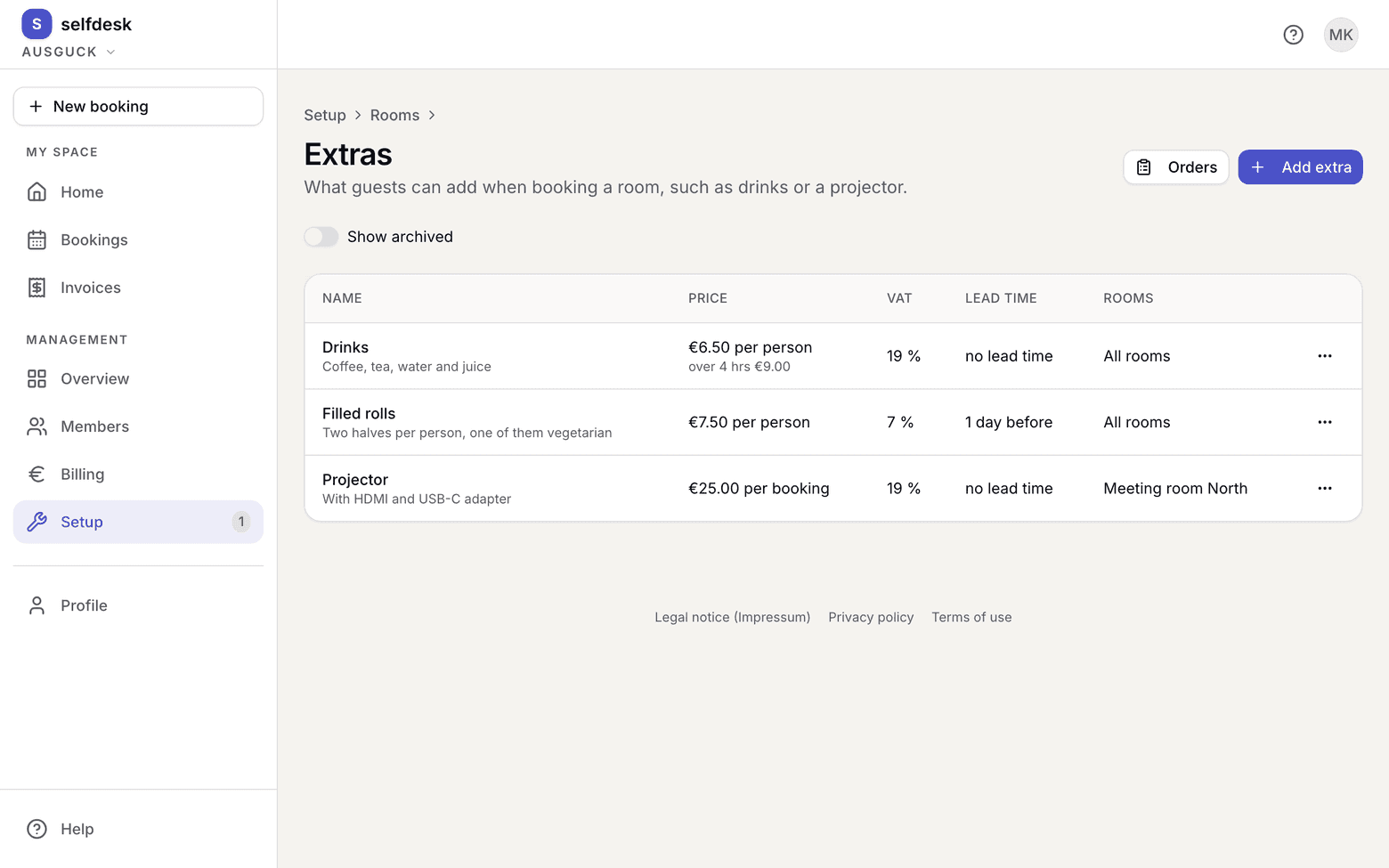
Extras page with three extras, their prices, VAT rates, lead times and rooms -
Choose Add extra and enter its name, and under What is included a description if you like. Guests and members read both when ordering.
-
Under Pricing, choose how it is calculated, and enter the gross price under Price:
- per person: price times the people on the booking. If a booking over 4 hours costs more, enter a second price for the longer booking. If that field stays empty, the same price applies.
- per booking: once, however many people come.
- per item: whoever books picks a quantity from 1 to 99.
- per hour: price times the length of the booking.
-
Choose the VAT: 19 % or 7 % (food). If your space is a small business, the field does not exist.
-
Choose the lead time: none, 1 day, 2 days or 1 week before the booking starts. Until then the extra can be ordered and changed; after that it is fixed.
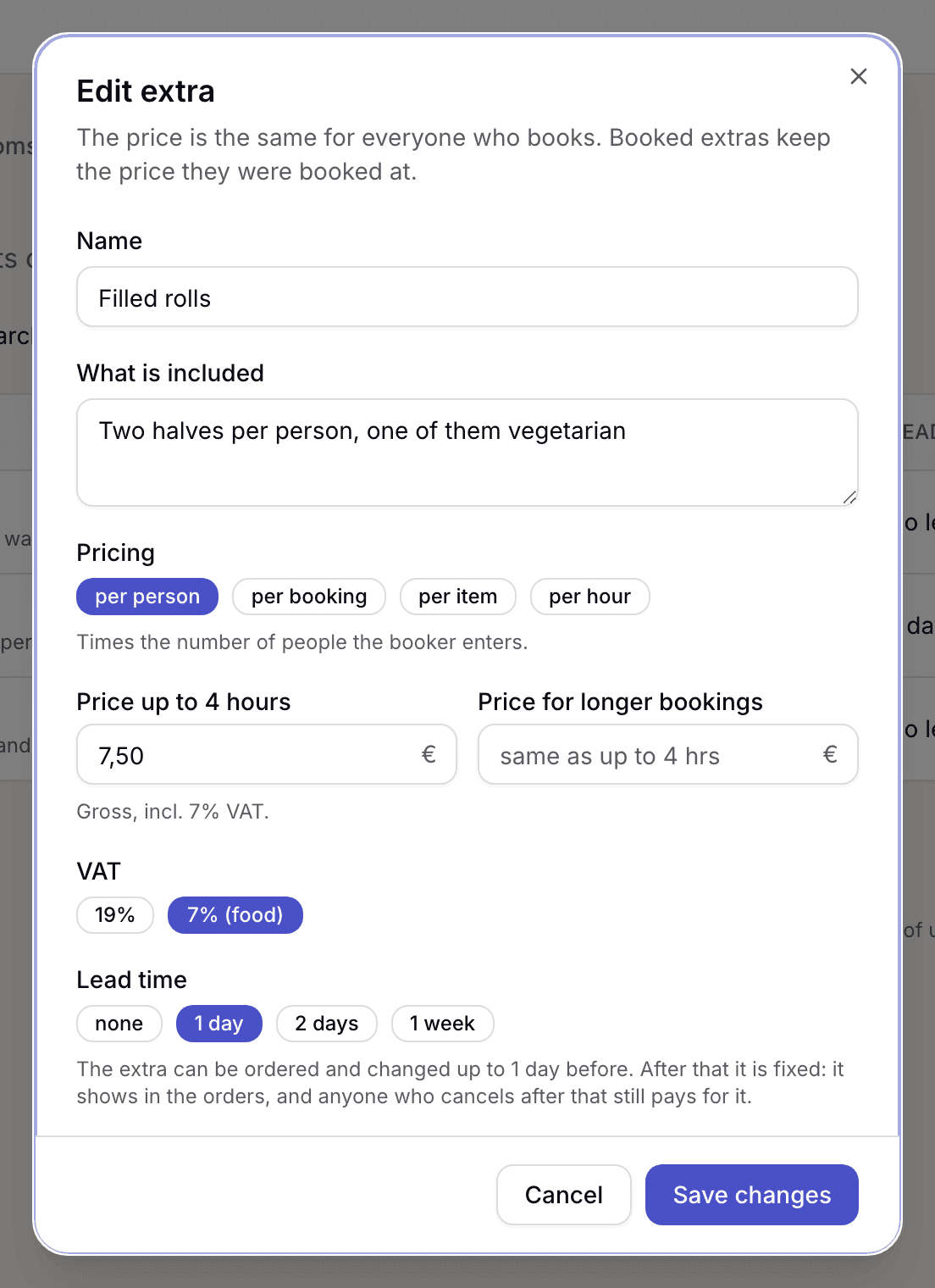
Edit extra form with pricing, price, VAT and lead time -
Under Rooms, choose where the extra is offered: All rooms or a selection.
-
Save.
What applies here
- Prices are gross prices. Each extra carries its own tax rate, not the space. See Gross price.
- Food and drinks are two extras. Food carries 7 %, drinks 19 %, and an extra has exactly one rate. A package with coffee and bread rolls is therefore two extras.
- One price for everyone. Guests and members pay the same price. Discount and included hours from a plan apply to the room, not to extras.
- Per person needs a number of people. Whoever picks an extra per person says how many will come. If the room has a capacity, it cannot go above it.
- Once the lead time is reached, the extra is fixed. It can no longer be ordered or changed, and whoever cancels after that pays for it. An extra without a lead time follows the room's cancellation rule. See Lead time and cancellation for extras.
- Extras already booked keep their price. If you change price or tax rate, it applies to new orders.
- An extra you no longer offer, you archive. Guests and members no longer see it; what is already booked stays booked.
- selfdesk orders nothing for you. What you need to buy or order from the café is collected on the page Orders. See View orders.
When it does not work