Leave a space or delete your account
Leaving ends one membership, deleting ends your whole profile. Both are blocked for a sole owner.
These are two different things. Leave Workspace removes you from exactly one space. Your account stays, other spaces stay, and you can rejoin later. Delete Account affects your whole profile at selfdesk.
Leaving a space
- In the app you open your profile. On the web you open Workspace in the settings.
- Tap Leave workspace.
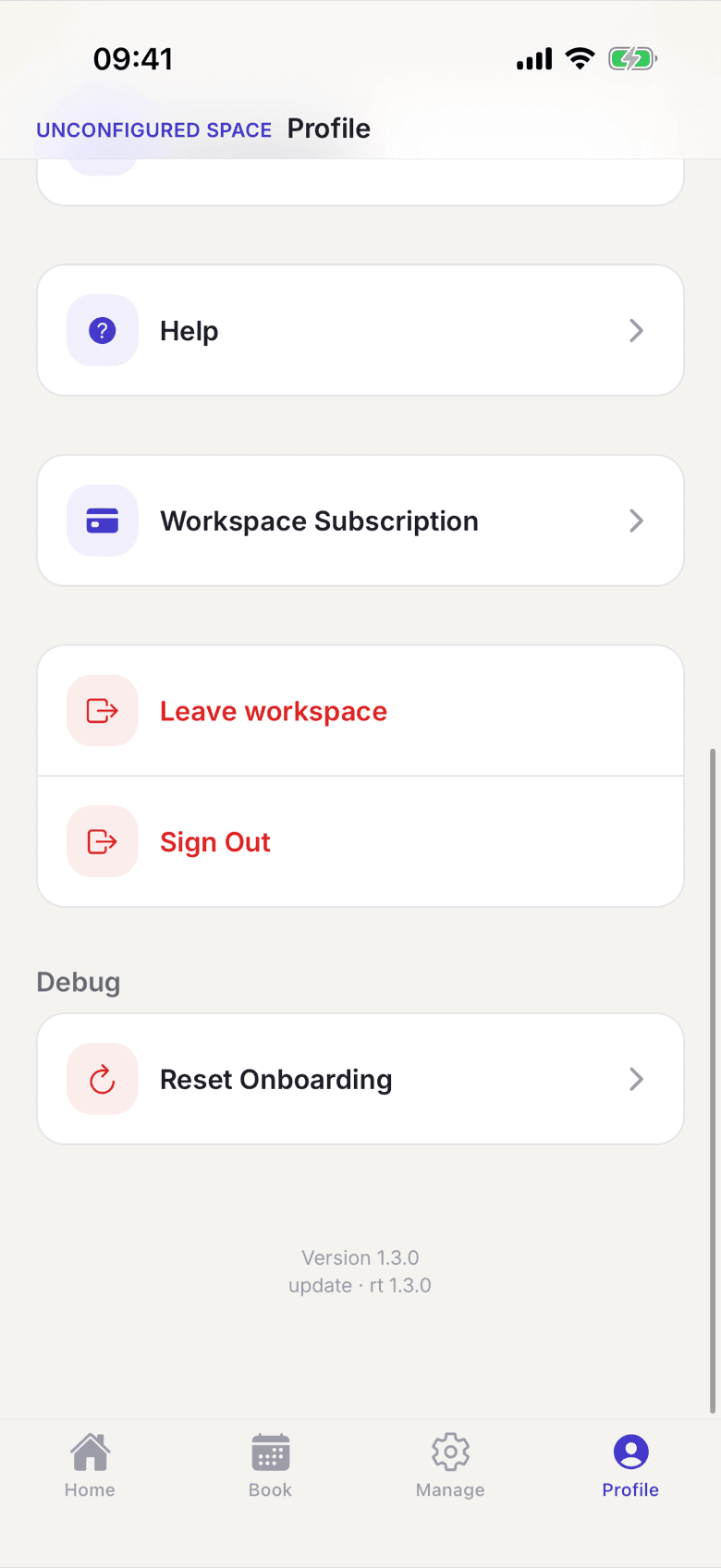
The Leave workspace entry - Confirm the prompt. It tells you that you lose access to all data and bookings of this space.
Deleting your account
- In the app you open Settings and tap Delete Account.
- In the browser it also works without signing in. You enter your email address and receive a confirmation link.
- Only the click on that link files the request. Without the second confirmation nothing happens.
What applies here
- The sole owner of a space cannot leave it. You get Owners cannot leave. Transfer ownership first.
- You cannot leave your last space. You get You must be a member of at least one workspace.
- Account deletion is blocked as well while you are the sole owner anywhere. See Account deletion is blocked.
- The double confirmation by email exists only for account deletion. It proves the request really comes from you.
- On processing, running contracts end at the end of the current month and access is revoked immediately. See When a member deletes their account.
- Invoices are kept for eight years. See What is stored, and for how long.
When it does not work