Switch to bank transfer
Without card collection the invoice stays the document for a transfer. Nothing is charged, and no paid marker appears.
Bank transfer means: the month-end run issues the invoices as always but collects no money. Your members transfer, and you reconcile the incoming payments on your bank account. selfdesk does not see them.
In the app
- Open Payments in the management section.
- Turn on Bank Transfer under Payment Methods.
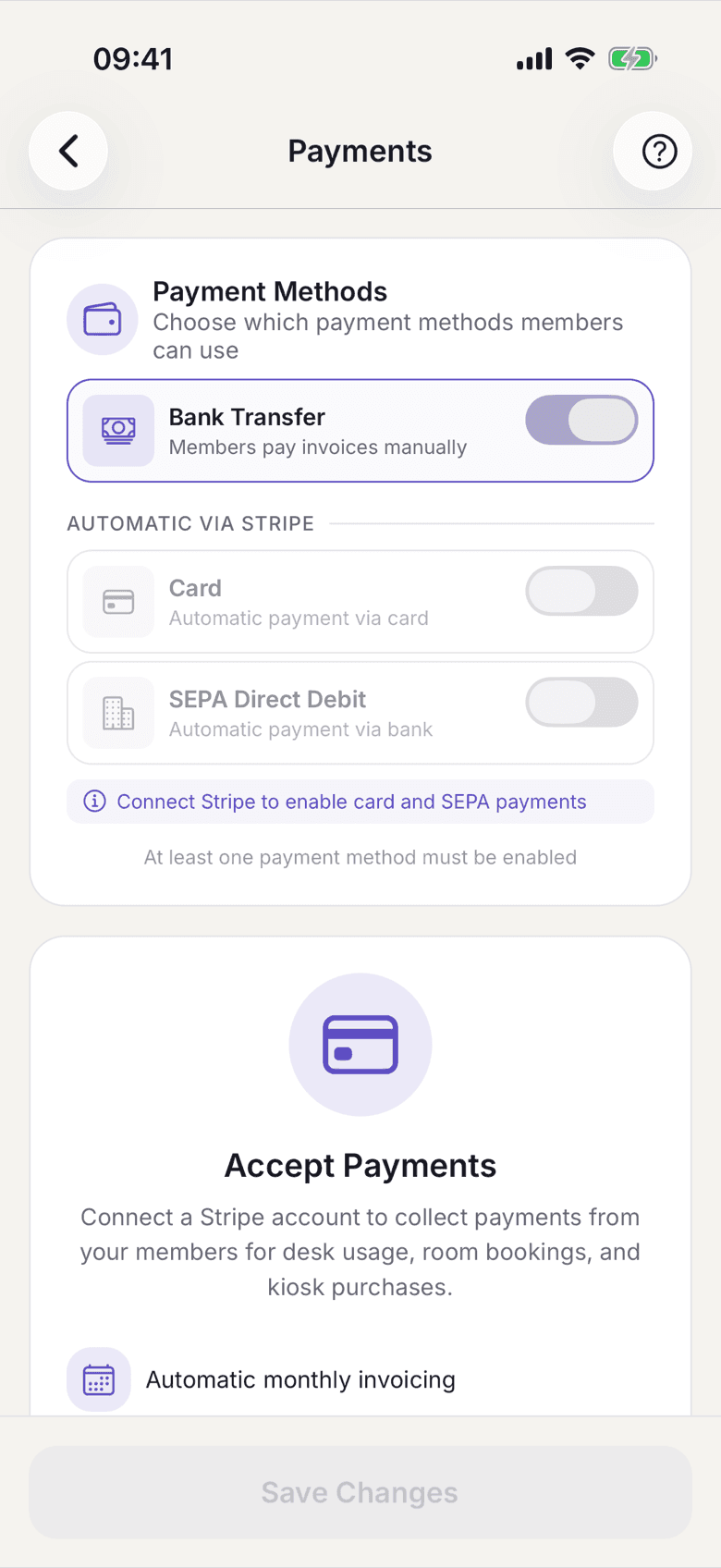
Payment Methods with Bank Transfer, Card and SEPA Direct Debit - Turn off Card and SEPA Direct Debit if you want to stop collecting altogether.
- The message At least one payment method must be enabled stays if you try to turn off the last one.
On the web
- Open Payments in the settings. The page is called Member Payments.
- Turn on Bank Transfer under Payment Methods.
- Turn off Card and SEPA Direct Debit if you want to stop collecting altogether.
What applies here
- The invoice stays the document. Number, PDF and positions do not change. Only the collection stops.
- No paid marker appears. Paid is derived exclusively from payment rows, and those only exist with collection. See An invoice never shows "paid".
- There is no marking as paid by hand. Deliberately not built.
- If you offer both, the member decides. If they pick bank transfer, the month-end run silently skips collection for them. Without a stored choice money is collected.
- Kiosk is always collected. Kiosk purchases are consumed immediately and were tied to a stored payment method at purchase. Rent by transfer and snacks by card is therefore possible. See Kiosk: receipt, invoice and the carryover.
- The list of open items stays empty, because there are no failed charges.
When it does not work