Cancel your membership
You cancel with a button in the app. The membership ends on the last day of the current month.
Cancelling runs through a button, not a letter. You need no written form and no reason.
In the app
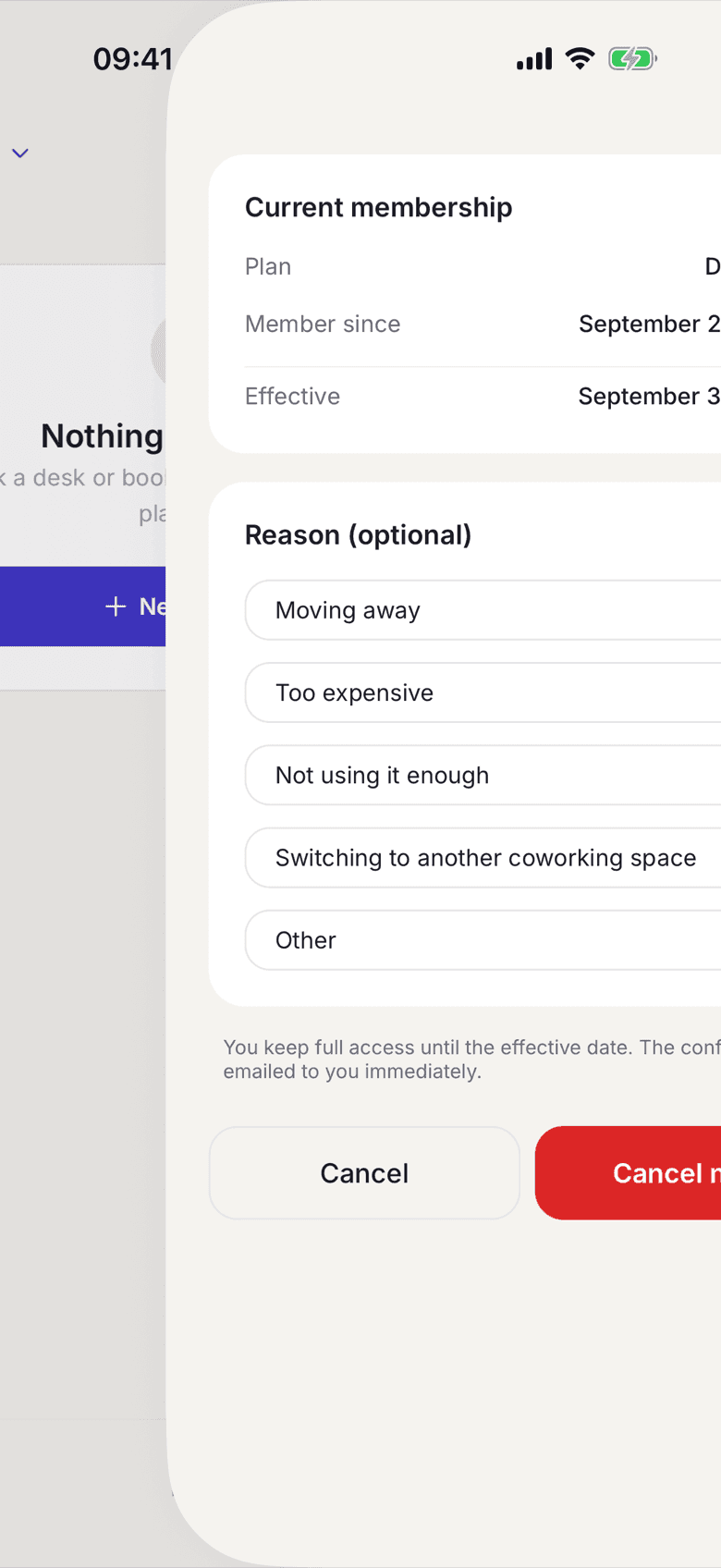
- In your profile open My Plan.
- Tap Cancel membership.
- Under Current membership, check the date at Effective.
- Pick a reason under Reason (optional) if you like.
- Tap Cancel now.
On the web
- In your profile open My Plan.
- Click Cancel membership.
- Check the date under Effective cancellation date.
- Click Jetzt kündigen (cancel now).
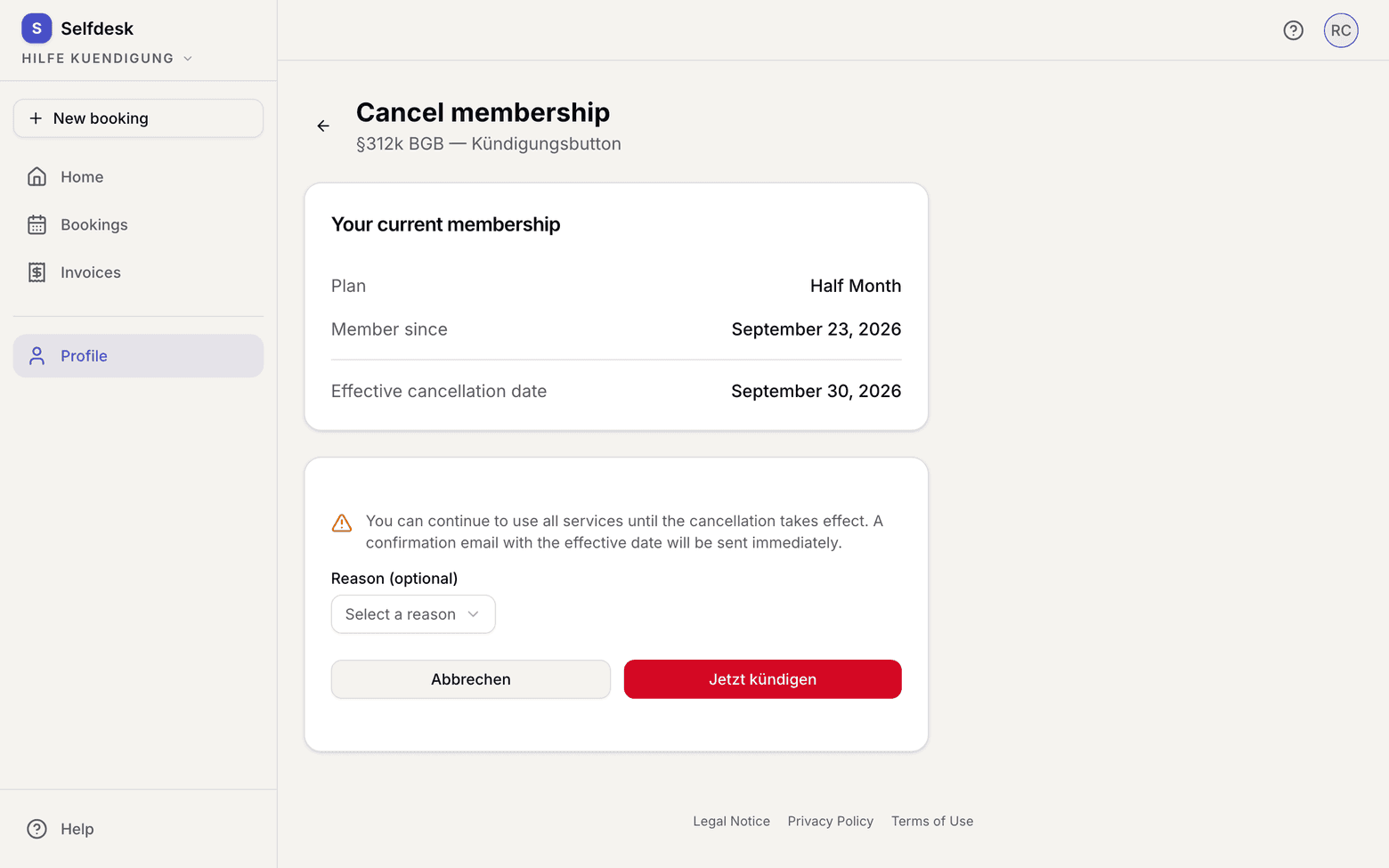
Afterwards the page shows the end date and leads back to My plan with To membership, where you also undo the cancellation. The confirmation is emailed immediately. It is also filed as a PDF under Contract documents.
If your membership has not started yet, there is nothing to cancel. My plan then shows the plan, the start date and your desk, and below them Change start date and Withdraw the contract before it starts. That ends the contract before it begins. The same buttons are on Today.
What applies here
- The membership always ends on the last day of the current month, whatever day you cancel on.
- Until then you use every service as usual.
- The field Reason (optional) is not stored and not evaluated. It reaches no document.
- A scheduled plan change is removed along with the cancellation.
- Room bookings after the end of the contract are cancelled. You get one email naming every affected date and withdrawing the calendar entries. Dates up to the end date stay.
- A series ends with the last date before the contract ends.
- Your account stays. If you want to be rid of that too, see Delete your account.
When it does not work