Delete your account
You delete your account in the app or through a public page. Access ends at once, the contract at the end of the month, invoices are kept for eight years.
Deletion is final and happens in stages. If you still hold a running contract, you do not keep access until it ends: access is withdrawn when the request is processed, and the contract ends on the last day of the month.
If you are the only owner of a space, you have to hand over ownership first. Otherwise the deletion is refused.
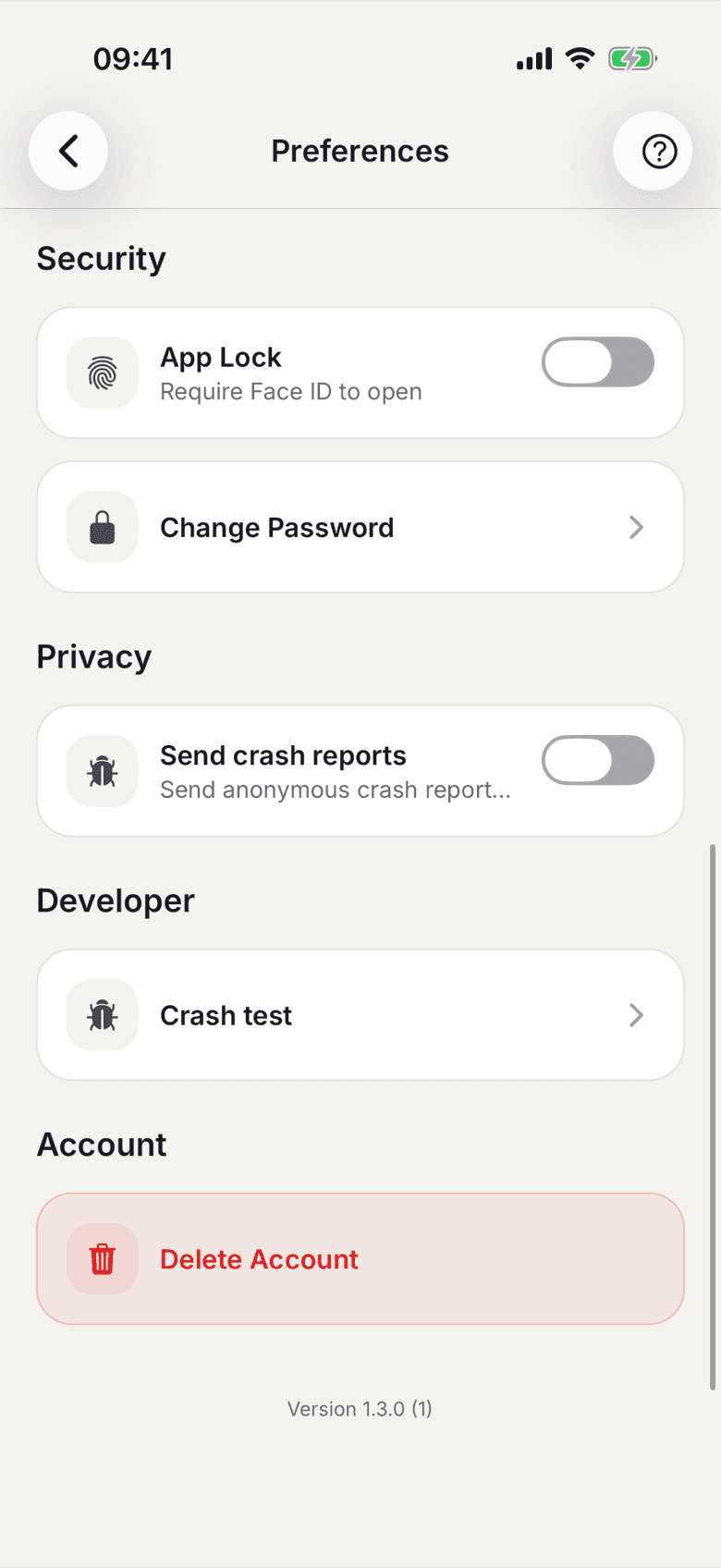
In the app
- Open Settings in your profile.
- At the bottom, under Account, tap Delete Account.
- Confirm the prompt.
Without the app
- Open the page /account-deletion of the web app.
- Enter your email address and tick the confirmation box.
- Tap Send confirmation email.
- Open the email and follow the link. Only then is the request filed.
The same confirmation page always appears, whether or not an account exists for that address. Per address you can request a new email at most every 60 minutes. The link expires after 24 hours.
What applies here
- The request is reviewed by hand. The confirmation email states the period for that.
- When it is processed, your sign-in credentials end at once. You cannot sign in afterwards.
- Running contracts end on the last day of the current month, exactly as with a normal cancellation.
- Your name is anonymised overnight as soon as no contract is running. After that you drop out of your space's member list.
- Invoices, payments and bookings are kept for eight years because the law requires it. They carry the name that applied when the invoice was issued.
- While the deletion is in progress you can no longer edit your profile.