Cancel your membership
You cancel with a button in the app. The membership ends on the last day of the current month.
Cancelling runs through a button, not a letter. You need no written form and no reason.
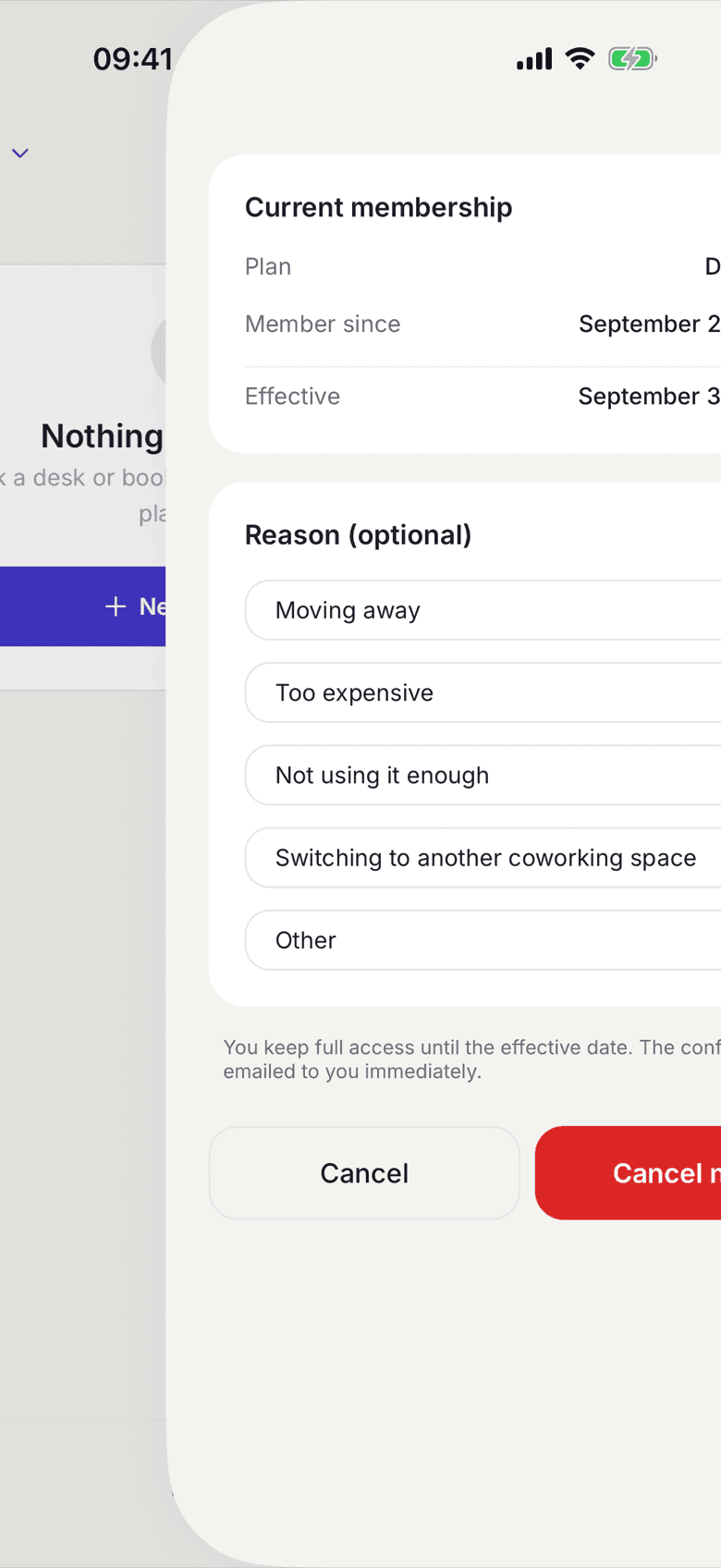
In the app
- In your profile open My Plan.
- Tap Cancel membership.
- Check the date under Effective.
- Tap Cancel now.
On the web
- In your profile open My Plan.
- Click Cancel membership.
- Check the date under Effective cancellation date.
- Click Jetzt kündigen (cancel now).
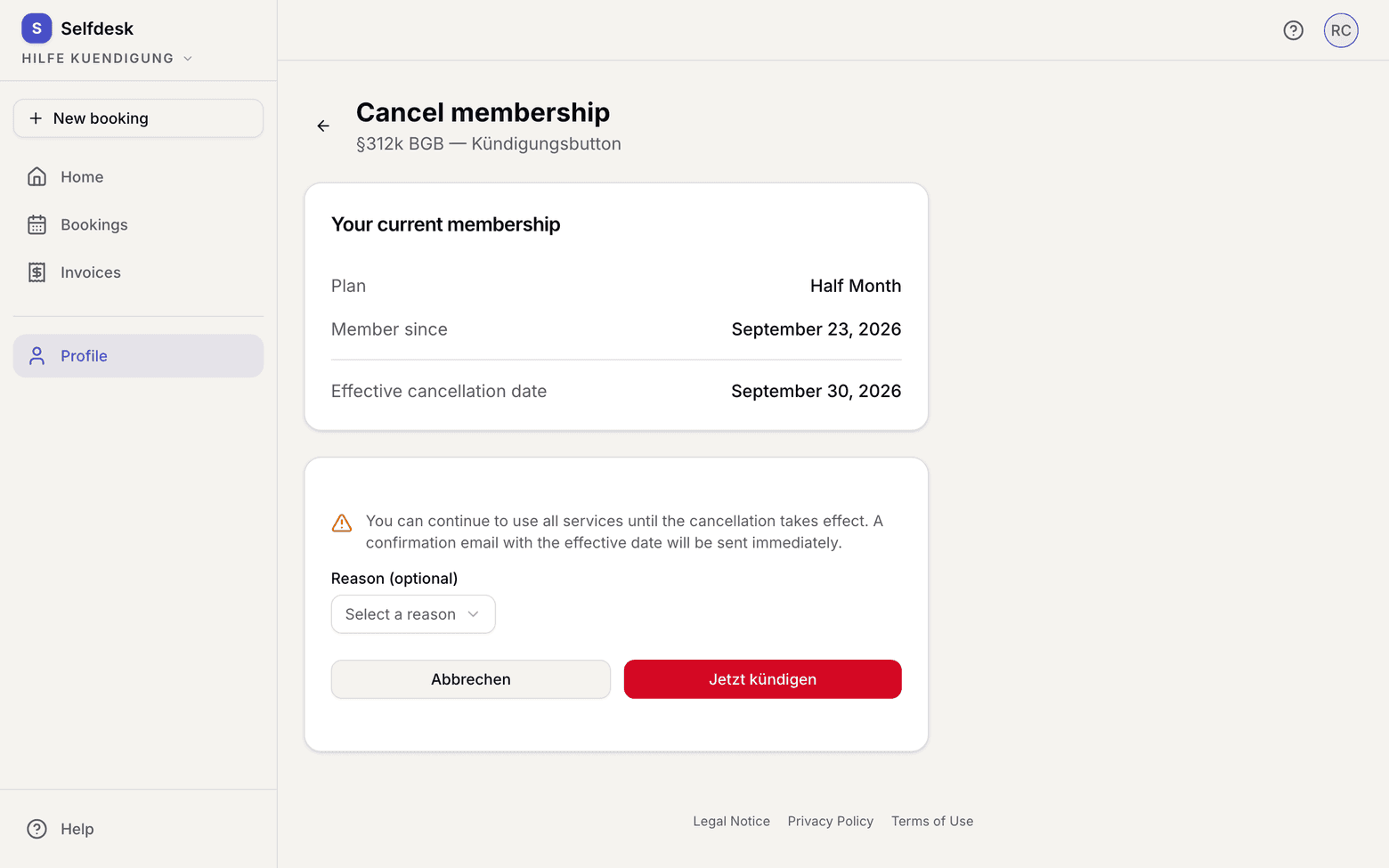
The confirmation is emailed immediately. It is also filed as a PDF under Contract documents.
What applies here
- The membership always ends on the last day of the current month, whatever day you cancel on.
- Until then you use every service as usual.
- The field Reason (optional) is not stored and not evaluated. It reaches no document.
- A scheduled plan change is removed along with the cancellation.
- Room bookings after the end of the contract are cancelled. You get one email naming every affected date and withdrawing the calendar entries. Dates up to the end date stay.
- A series ends with the last date before the contract ends.
- Your account stays. If you want to be rid of that too, see Delete your account.
When it does not work