Book a desk
How to reserve a desk in your coworking space, and how bookings work if your plan comes with a fixed desk.
How you book desks depends on the plan your space has set up for you.
If your plan needs you to book each day
Most plans work like this: every day you want to come in, you pick a desk for that day.
- Open the app and tap Book.
- Pick the date you want to come in.
- Tap Book Desk.
- Select a desk area (if your space has more than one) and a desk.
- Confirm.
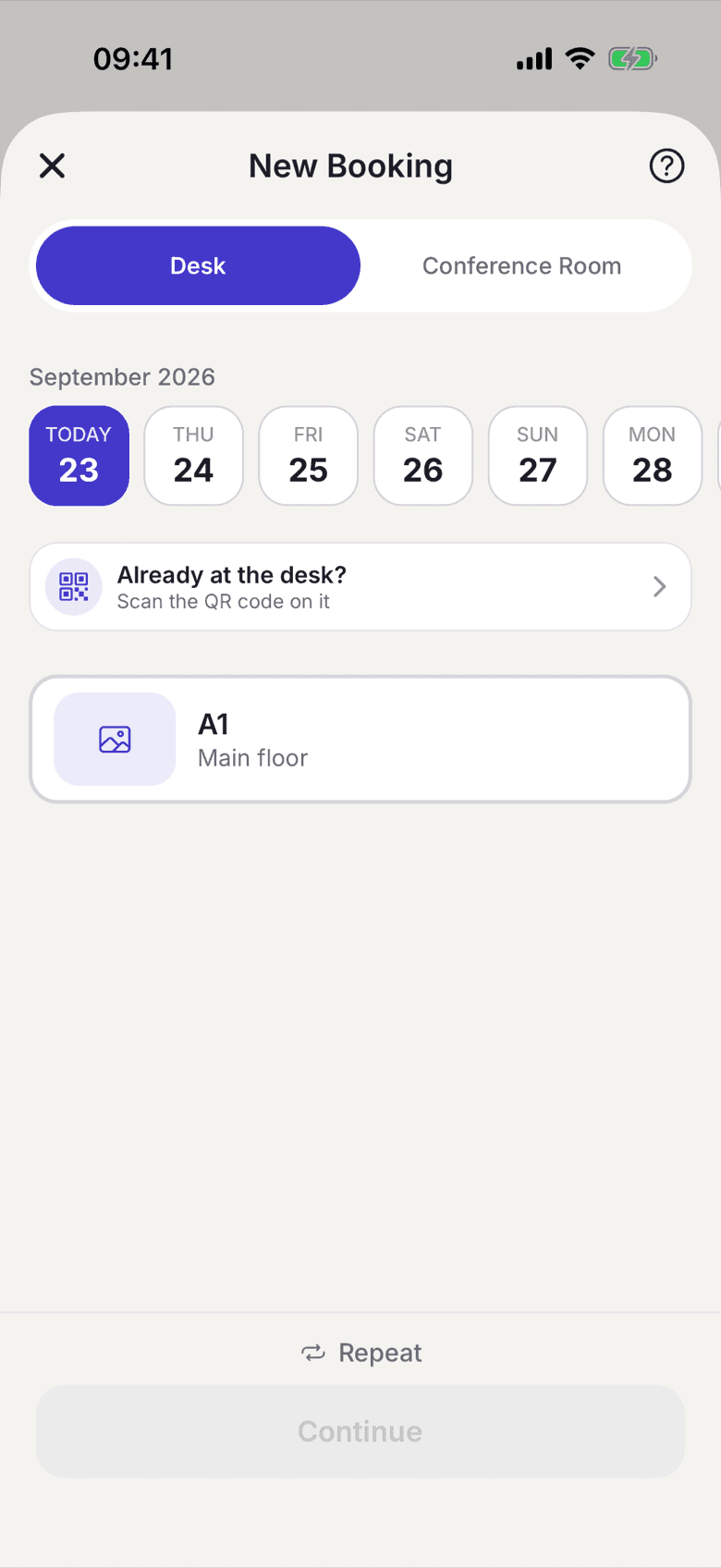
You'll see your reservation on the home screen and in the Book tab. You also get a confirmation email with a calendar entry.
When you arrive, tap Check In. That counts the day toward your plan if your plan tracks days. Doors are opened separately. See check in and unlock doors.
If your plan comes with a fixed desk
Some plans include a fixed desk that's permanently assigned to you. You don't need to book it. Your desk is always yours, whether you show up or not. You'll see it on your home screen every day.
If you want to switch desks temporarily (for example, to sit with a colleague), ask your space admin.
Booking for future dates
You can book as far ahead as your space allows; the app shows you the last bookable date. If your plan includes a limited number of check-in days per month, the app shows a running count of how many you've used.
Cancelling or changing
When and how you cancel is explained under cancel a reservation.
Availability
If a desk shows as unavailable, someone has already booked it, or it is somebody else's fixed desk. Try another desk in the same area, or a different date. You can hold one desk booking per day.