Check in and unlock doors
How to open and lock your coworking space's doors from your phone or the browser, and why check-in and unlocking are two different things.
You open doors in the app or in the browser. This requires that your space has connected Nuki locks and granted you access to the door in question.
Check-in and unlocking are two things
They get mixed up, but they are separate:
- Check-in records that you are at the space today. It counts the day toward your plan if your plan tracks days. It does not open any door.
- Unlocking a door is its own action. It does not depend on whether you checked in or have a booking today.
Who may open doors
You can open a door when both are true:
- You are a member of the space, and
- your operator has granted you that door.
Access is granted per person and per door. There are no access groups. If a door is missing from your list, ask your operator to grant it.
How to check in
- Open the app. The home screen shows today's booking.
- Tap Check In.
Alternatively, scan the QR code on the desk. See book a desk. There is no QR code on the door.
How to open a door
In the app:
- Tap the key icon on the home screen (Open door).
- Pick the door.
- Drag the slider to the right.
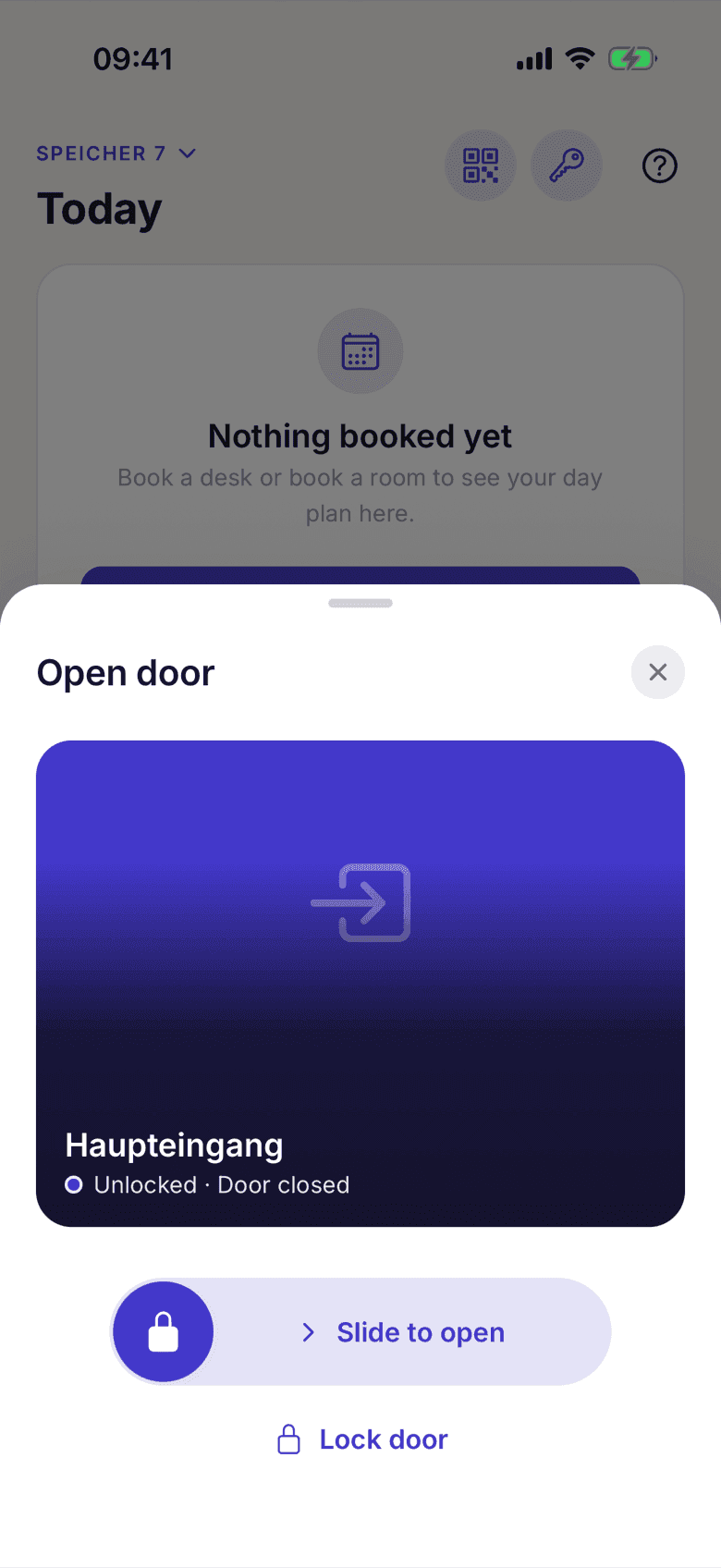
The slider is deliberate: it keeps a stray tap from opening a door.
In the browser: the web app can open doors too. You'll find Open door in the topbar or sidebar; there you confirm the unlock in a dialog.
The command travels through the selfdesk server to Nuki. You need no Bluetooth and don't have to stand within any particular distance of the door, but you do need an internet connection.
Locking up as the last to leave
In the door sheet, below the slider, you see the lock's current state and the Lock door button whenever the door isn't locked yet. You tap the button; there is no slider for this.
If the door sensor reports the door as open, the button stays disabled until it is shut. If the door has no sensor, locking proceeds without any hint, since you're standing right there.
When it doesn't work
- No doors in the list? Your operator hasn't granted you any yet.
- "Motor blocked"? That comes from the lock itself, usually when the bolt hits the frame. Pull the door shut and try again.
- "Hold on"? One action per door is allowed every few seconds.
- Lock reports nothing? The state line goes grey; you can still open the door.
If something goes wrong, ask your space first. The locks and the access grants are theirs. If the app does something wrong: support@selfdesk.app.