Set a kiosk card
You can mark a separate card for the kiosk. Without a mark your default method pays.
App
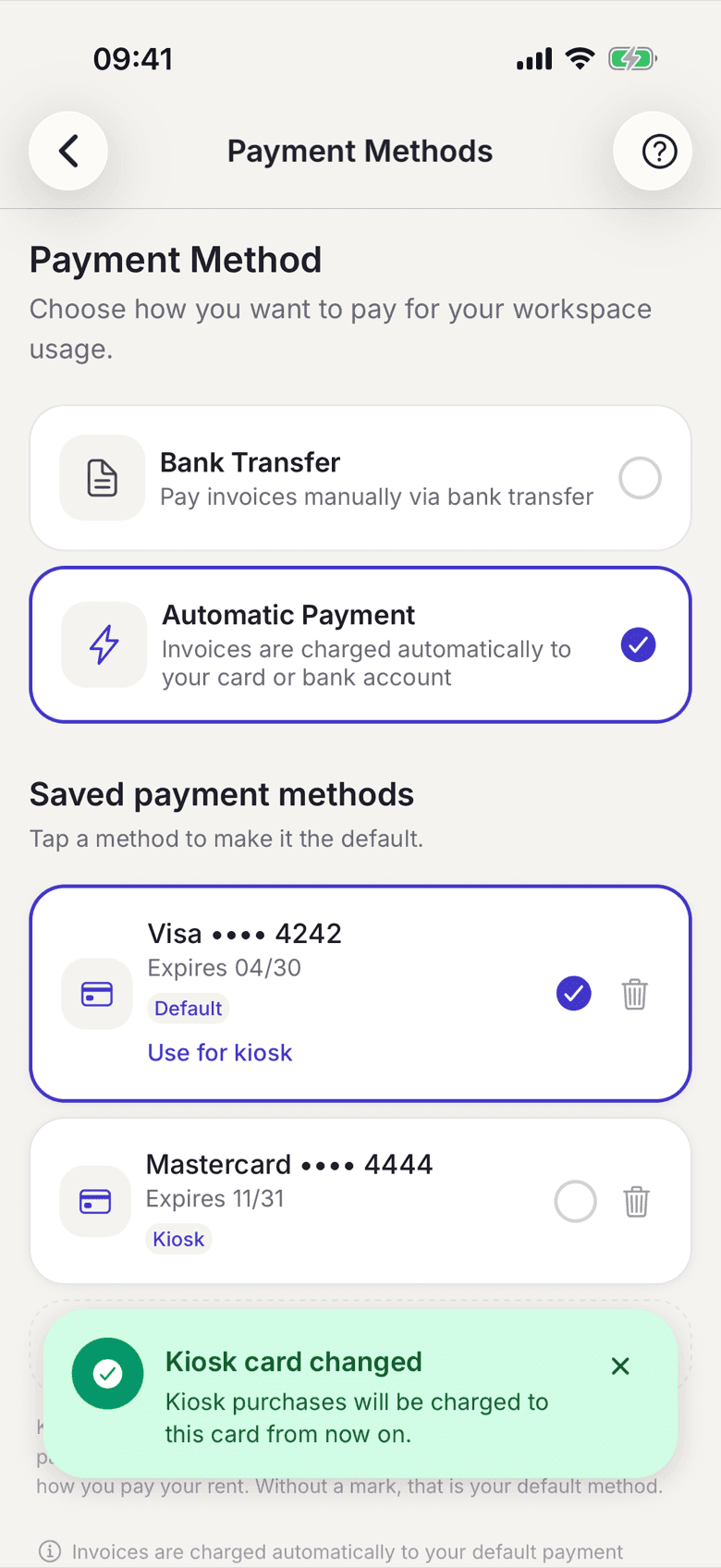
You can mark one of your stored cards as the kiosk card, for example if snacks should go through a different account than the rent. It then pays for the kiosk, while everything else keeps running on your default method.
How to mark a card
- In your profile open Payment Method.
- At the card you want, tap Use for kiosk.
- The card then carries the Kiosk badge.
What applies here
- Only cards can be marked. A SEPA direct debit is not suitable for an instant payment.
- There is exactly one kiosk card per space.
- Without a mark your default method is also the kiosk method. The badge then sits there.
- The kiosk card pays both: the tab when you pay right away, and the kiosk invoice at the end of the month.
- If you delete the marked card, the kiosk falls back to your default method.
- The option only appears if your space offers card payment.
When it does not work